

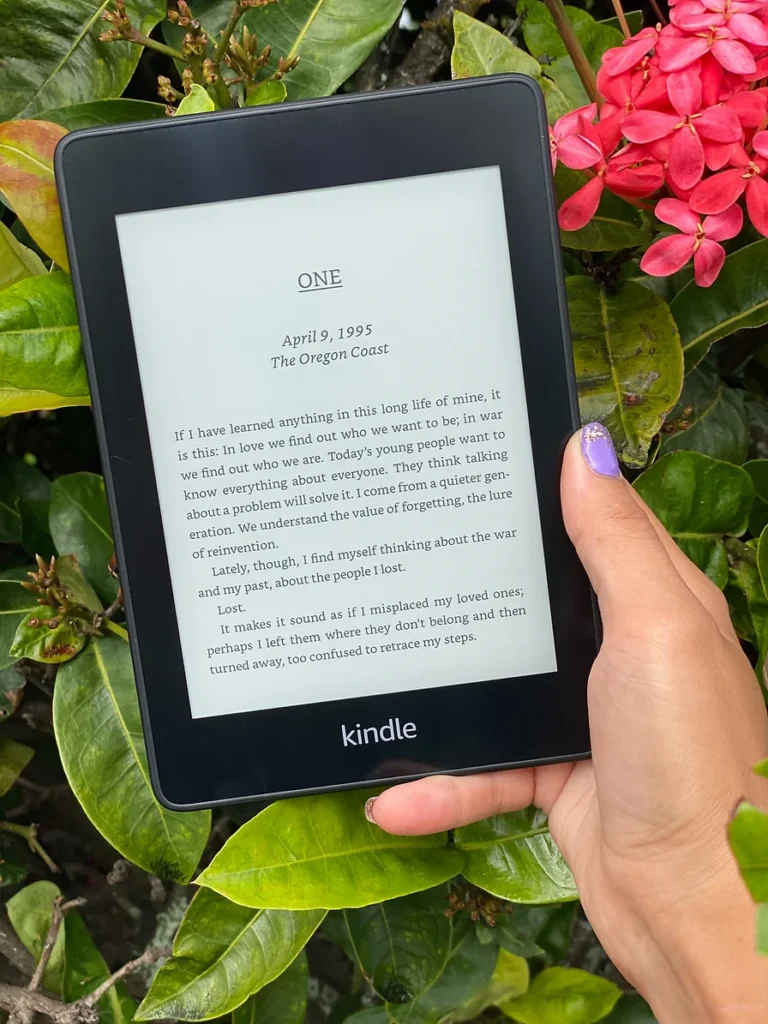
Detailed Kindle Paperwhite Review & Verdict (10th Generation)
I’ve been a Kindle user since it was first released in 2007. Initially, I upgraded to the newly released versions frequently, because there were so many improvements early on (the introduction of the self-lit Paperwhite model, for example).
At a certain point, it seemed there weren’t many improvements they could make, because it was already great. For that reason, I’ve had the same Kindle Paperwhite since 2012, what Amazon considers the 5th generation of Kindles.
On Prime Day this year, I saw the deal for the Kindle Paperwhite 10th Edition, which was released last year, and I bit the bullet and made the switch. I asked on my Instagram stories if you all would like to hear my thoughts on the new generation, and there was a resounding yes. So now that I’ve used it for a few weeks, I thought I’d share my thorough Kindle Paperwhite review for you to consider before it likely goes on sale again for Black Friday and Cyber Monday.
It’s important to note that in this Kindle Paperwhite review, I am comparing this to the original Kindle Paperwhite released in 2012, which I’ve been using for the last 8 years (man, time flies!). I’ve been happy with it for the last 8 years and didn’t see much need to upgrade, as most of the upgrades were minor improvements to the lighting design, which I was fine with on my Kindle.
The update I was really waiting for, and the only one that would drive me to purchase an updated model apart from mine breaking, was to make it waterproof. The Oasis (another Kindle model that is waterproof) didn’t tempt me much. Based on reviews, it didn’t seem to have the same compactness, lightness, or pleasant feel of the Paperwhite, so I never made the switch.
Now that Amazon has released the new waterproof 10th generation Kindle Paperwhite, I, albeit belatedly, finally upgraded my 8-year-old Kindle. Here’s a detailed breakdown of what I think of the waterproof Kindle Paperwhite 10th Generation.
Tip: Looking for a review of the new Kindle Paperwhite released in 2024? I’ve written up my honest and detailed thoughts on that model, too.
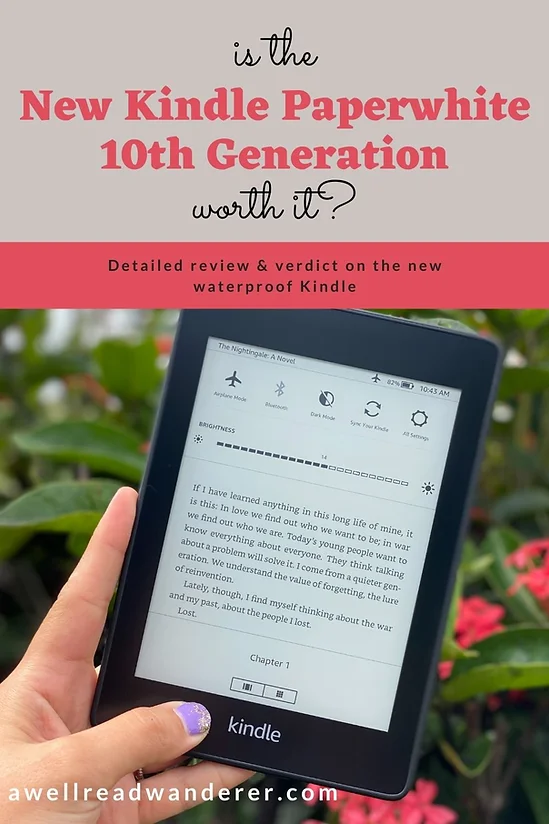
No time to read now? Pin this post and come back to it later.
As always, this post may contain affiliate links, which means at no additional cost to you, shopping from them may generate small commissions to support the operations of this blog.
Whenever possible, I recommend buying books at local bookshops or through Bookshop.org, because shopping there puts the profits right into the hands of indie bookstores all over the country.
Amazon Kindle Paperwhite Review: What I like
It really is waterproof
I love a nice, long bath with a good book. Until now, my options have been to either risk holding a regular old book over the tub, hoping not to accidentally drop it (sadly, this has indeed happened to me), or take the same risk with my Kindle. It rather detracts from the relaxing aspect of a long bath or reading at the beach.
So I’m really excited to have a Kindle Paperwhite that can theoretically be submerged in up to 2 meters of fresh water for up to an hour and still function properly. I don’t exactly plan to take it snorkeling to read underwater, but I’m glad they’ve erred on the side of making it waterproof rather than water-resistant.
For the purposes of making this Kindle Paperwhite review even more thorough, I even tested it out by pouring more than a cup of tap water directly on it, and it had no impact on its function.
Tip: According to Amazon (and this isn’t very well advertised), if the Kindle gets splashed with water, you should wipe it off right away. If it gets submerged, they recommend letting it dry completely in a vertical position before attempting to plug it in or use it. Read more details here.
This Kindle Paperwhite is lighter
My previous Kindle Paperwhite already felt pretty light. I mean, it’s not like I felt like I’d just done an arms workout at the gym after holding it for a while.
Still, by comparison, the new Kindle Paperwhite makes the old one feel heavy. It’s incredibly light at only 6.4 oz and not at all cumbersome to read. It’s certainly lighter than just about any physical book! For comparison, the original Paperwhite was 7.5 oz.
Related: Have you been wondering if Audible is worth it? Check out my detailed review with the good, the bad, and the ugly, as well as hacks to save you money if you want to take the plunge.
Turning Wi-Fi on and off got easier on this version

On my first Kindle way back before even the Paperwhite was released, you could turn Wi-Fi on and off without leaving whatever screen you were on. On at least the first generation Paperwhite that I’ve been using, they made it less accessible, so you’d need to navigate to an entirely different screen to turn it on or off, then navigate back to your book.
This might seem like a minor nuisance, but it was one of my greatest annoyances with the old Kindle Paperwhite, and I’m very glad to see they’ve fixed that.
Now, you just need to touch the settings button in your header menu bar, and instead of taking you to a whole new page, the option to turn on and off your Wi-Fi, use Bluetooth or change screen brightness appears right there in the header.

The entire front of the new Kindle Paperwhite is flush
This might seem like another small thing to focus on in a Kindle Paperwhite review, but on my previous Paperwhite, the screen was slightly sunken into the unit with a small, beveled edge around it.
I like how the new Kindle Paperwhite generation is flush all the way across, as that means less opportunity for crumbs or sand to wedge their way in. This definitely makes taking it to the beach easier, because I’ve frequently gotten little grains of sand stuck in the grooves of my old Kindle.
There’s no extra step to highlight text
This is another small change but one that’s appreciated. To highlight a passage on my last Kindle Paperwhite, I’d need to drag my finger across it to select it, then push “Highlight.” The new Paperwhite eliminates the second step, making it that much easier to highlight my favorite passages.
Again, a small thing, but something that makes a noticeable difference for me, because I love marking up my books, and eBooks are no exception.
Related: The Kindle is one of my recommended stocking stuffers for book lovers. Make sure to check out the complete list.
There is a slight but noticeable increase in the text sharpness
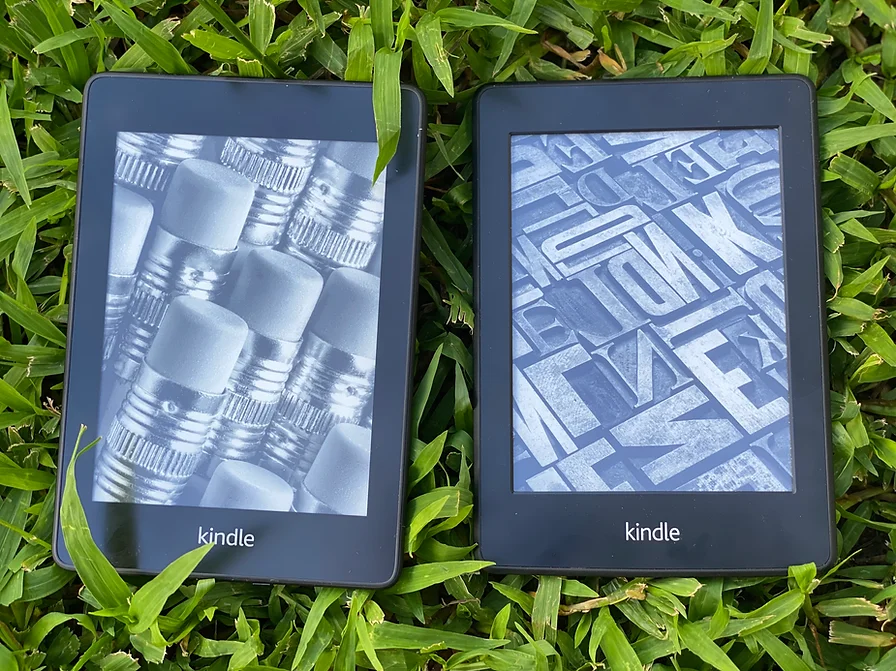
The screen on the 10th generation Kindle Paperwhite is advertised as 300 ppi, definitely an improvement from previous generations.
Putting my Kindles side by side, I see a clear improvement in the contrast and clarity without any accompanying eye strain.
It’s easier to change fonts and line spacing
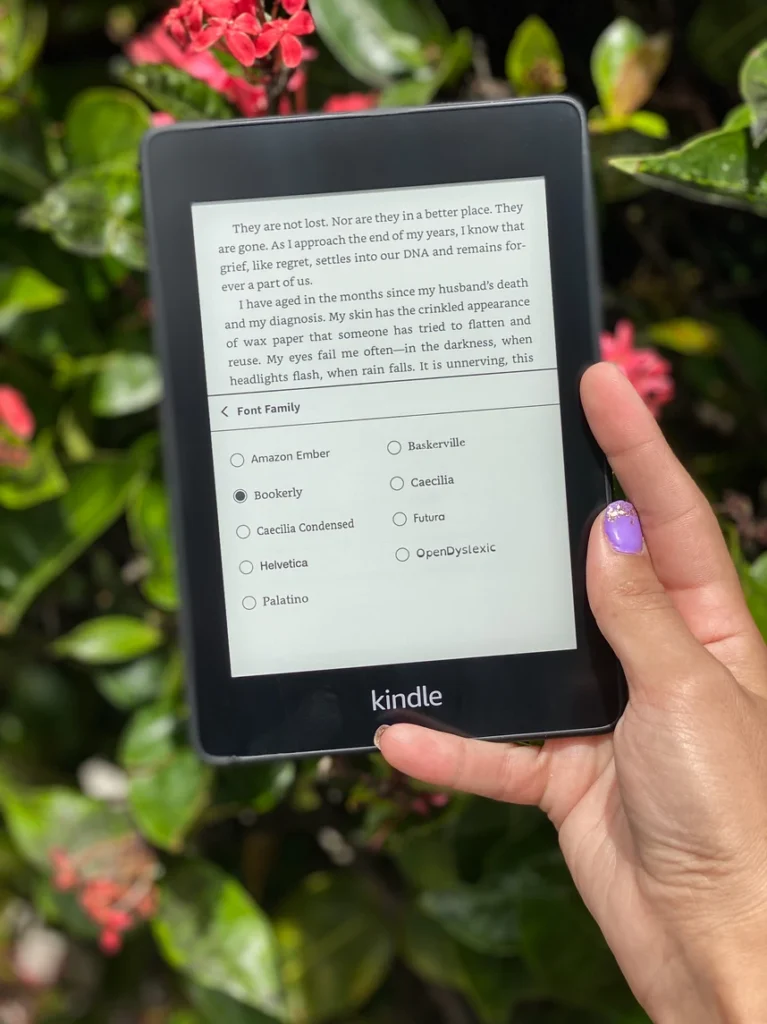
Another minor point, but I told you this would be a thorough Kindle Paperwhite review. On the new generation of the Kindle Paperwhite, there are 9 font options available, compared to only 6 on the older generation.
There are also 14 levels of font size from which to choose on the new Kindle Paperwhite, so you can get a more precise font size than the previous 8 options in the older one. I like the Bookerly font that wasn’t available on older Kindle Paperwhites.

Related: Looking for the best Audible readers to make the most out of your Audible membership? I’ve rounded up the best of the best.
New Paperwhite Features to which I’m indifferent
The latest Kindle Paperwhite has a lot of noticeable changes from my previous Kindle Paperwhite. The ones I mentioned above are the ones I really like. Here are the ones that make no real difference to me, and may or may not appeal to you depending on your reading habits and preferences. I’ve included this section in order to provide a more thorough Kindle Paperwhite review before you purchase.
The Kindle Paperwhite home screen has changed
On my old Paperwhite, the home screen just took me straight to my library, which worked fine for me. Now, the top left quarter of the screen is dedicated to a preview of your library, the top right quarter to your recently added “Want to Read” list from Goodreads, and the rest of the screen to personalized book recommendations.
If your Kindle Paperwhite is synced to your Goodreads account, it’s sort of fun to see your TBR list on the home screen, even if it is blatant advertising, pushing you to purchase eBooks from Amazon. The same goes for the recommended reading sections as you scroll down the home screen.
It’s still easy enough to access your library, and once you’re in the library, navigation is essentially the same as on the prior Paperwhites and will feel very familiar.
I don’t have any strong opinions about the layout change either way but thought it worth mentioning to users of older Kindle Paperwhites.
You can connect to Bluetooth from your Paperwhite
The purpose of adding Bluetooth functioning to the new Kindle Paperwhite is so that users can store and listen to audiobooks from their device.
I imagine this feature might excite some people, but like most people, I carry my phone everywhere so will continue to listen to my Audible audiobooks that way. It also just seems like an unnecessary use of the more limited storage capacity of the Kindle compared to most phones.
Still, if this is a deciding factor, it’s good information to have in a Kindle Paperwhite review.
Storage is doubled from older Kindle Paperwhite editions
One of the most widely advertised features of the latest Kindle Paperwhite is that they’ve doubled the storage capacity to 8 GB (32 GB versions are also available). The reason I’m indifferent to this feature is that, as I said in #2, my Kindle is not my preferred device for listening to audiobooks.
eBook files are minuscule compared to most of the media we consume (only 1.87 MB on average), so I’ve never even come close to running out of storage on my old Kindle, even with over 100 books downloaded on it.
The extra storage capacity of the new Kindle Paperwhite would come in handy if you are planning to use your Kindle to store lots of audiobooks, which on average take up 28-30 MB of storage.
Still, while the increased storage capacity isn’t a selling point for me, I’m also not complaining about it.
Related: Wondering about what other Kindle alternatives there are out there? Check out my detailed review of one of Kindle’s main competitors, the Kobo Clara Colour 2e. It’s a full-color ereader thats $100 less than the new Colorsoft. Plus, my review of the latest Kindle Paperwhite 12th generation. Then, I put these two ereaders head-to-head to see which is the better ereader — Kobo or Kindle?
You can use Dark mode for nighttime reading
Similar to the dark mode that’s been introduced on phones and tablets in recent years, you can now switch to dark mode on the newest Kindle Paperwhite, inverting the colors to make the background black and the text white. The idea is to make it easier on your eyes in darker environmental lighting.
While I’m indifferent to this feature, it’s worth pointing out in a thorough Kindle Paperwhite review. Some people love dark mode. I prefer the traditional daytime coloring, even at night. Still, it might appeal to some.
You can switch to landscape orientation
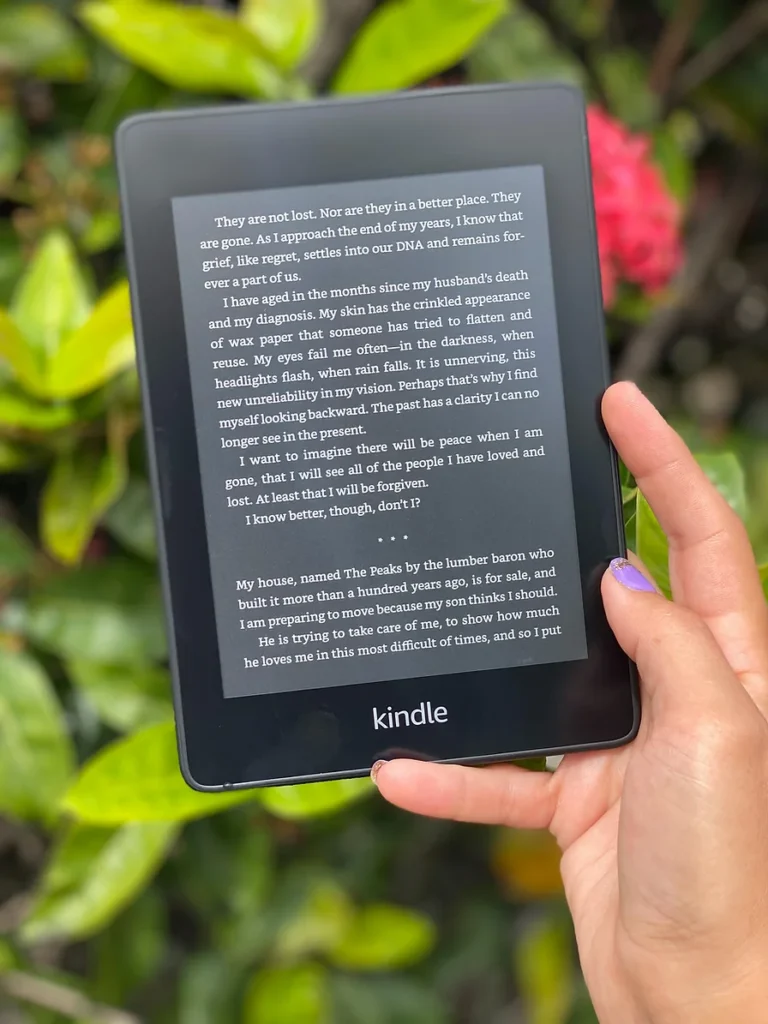
Maybe this feature was introduced to appeal to those reading comic books or graphic novels on their Kindles or just those wishing to view images more clearly. While I’m not really sure of the reasoning behind it, you now have the option to flip the orientation of the pages to landscape.
There are now 4 different color options for the Paperwhite
Traditionally only available in black, the 10th generation Kindle Paperwhite is now also available in Twilight Blue, Sage, and Plum. They are pretty colors to be sure, but I prefer to stick with the classic black look. Plus, I don’t see the colors in my current Kindle case.
I’m sure the new colors will appeal to some buyers, though!
Kindle Paperwhite review: What I don’t like
No Amazon Kindle Paperwhite review is complete or honest without a discussion of the downsides of the new device.
Outdated charging port
With most of the world switching to the fairly universal USB-C charging port, the latest Kindle Paperwhite is still using a micro-USB.
Other than that, I really haven’t found anything I don’t like yet about the Kindle Paperwhite 10th Generation!
The battery life has held up for me as advertised (as of March, 2024), though bear in mind that I usually only read on my Kindle 1-2x a week, not daily.
Amazon claims that the battery will last up to 6 weeks if you’re reading on it for 30 minutes a day with the light at 13. I rarely have my light past 4-5. Note that using the audiobook feature and/or running it on Wi-Fi will drain the battery more quickly.
Kindle Paperwhite: Verdict
If you have a Kindle Paperwhite or general Kindle ereader model older than 2018, I think this is definitely worth the upgrade! While other updates have introduced pretty incremental changes, this one is a significant upgrade from previous versions.
Kindle Paperwhite Pricing
As of 2024, pricing for the latest Kindle Paperwhite starts at $139.99 for the 8 GB, ad-supported, Wi-Fi-only model. The same model without ads (and I recommend getting it without, personally) runs $159.99
Keep in mind that Black Friday and Cyber Monday are right around the corner, and that’s a great opportunity to purchase your new Kindle Paperwhite. I bought the version without ads on Prime Day for $99.99, and I expect the upcoming sale to run at the same price.
More expensive options include a 32 GB model (only worth it if you’re planning to use it as your primary device for audiobooks) and a version with built-in cellular access so you can download books even without Wi-Fi, but for me, that option wasn’t worth the increased price. These days just about everyone has unlimited data on their phone, and it’s easy enough to connect your Kindle to your phone’s hotspot if you haven’t planned ahead and downloaded what you need while you have Wi-Fi.
I actually did just that on a flight last year. I got on the plane and pulled out my Kindle, eager to finish Madeline Miller’s The Song of Achilles, a fabulous book set in Greece I’d been devouring. I didn’t have my kids with me, and I was ready to dive right into the story and stay there for the duration of the flight.
I couldn’t even wait for us to start taxiing away from the gate before I switched on my Kindle, only to find that my 3-year-old had been playing with it, turned it off Airplane mode, and the book had returned to my library. With only minutes before we headed to the runway and my cell would need to be turned to airplane mode, I jumped on Amazon, bought the eBook, connected my Kindle to my hotspot, and downloaded it just in the nick of time. I hate to think of my own misery had I not turned on my Kindle before we were taking off.
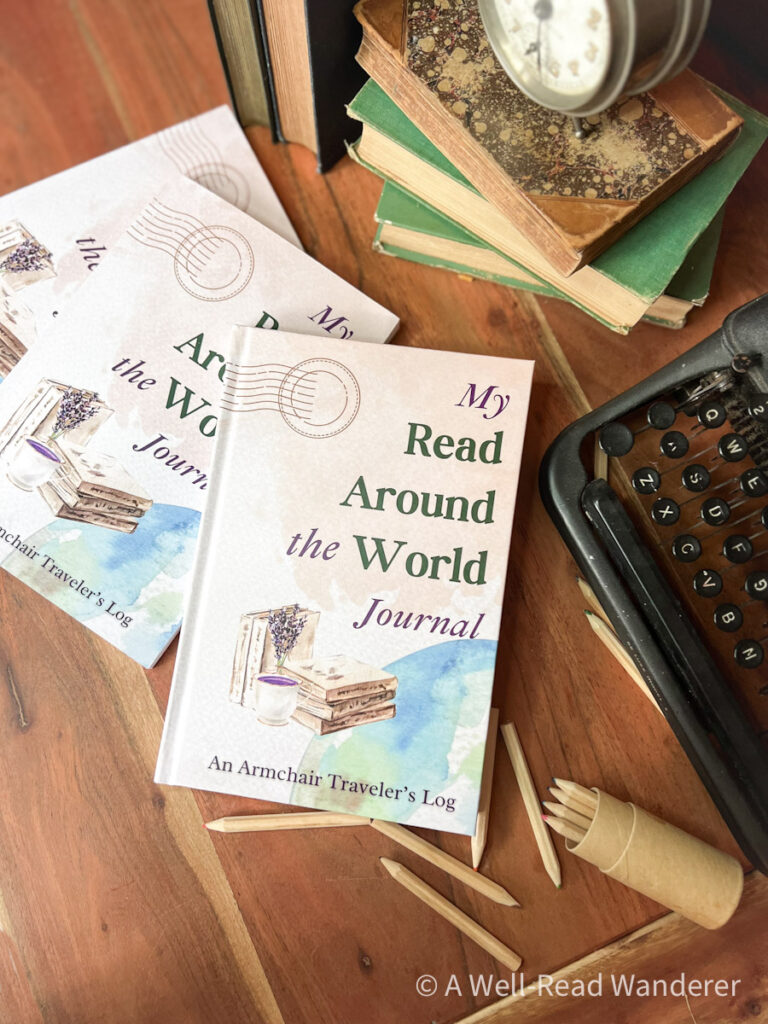
Do you enjoy reading books set in different countries? I’ve designed a custom Read Around the World Journal specifically for readers who want to explore more world literature and track their progress. Make lists, color in bookshelves, and play Read Around the World Bingo in this unique reading tracker.
You can take a peek inside the journal, peruse my list of resources to help you on your reading journey, and order a copy if you think it’s the right fit for you!
All in all, I really like having my Kindle. It’s perfect for being able to take lots of books for traveling, for slipping in my purse and taking to the beach. I like being able to borrow eBooks from my library without always having to pick up a physical copy. I also sometimes download PDFs and send them to my Kindle, especially any study materials.
It’s just a really handy, versatile device I utilize in addition to physical copies of books and audiobooks. Just give me all the books all the way!
Do you own a Kindle Paperwhite? What do you think of it?
Pin this now to reference later:








I’ll tell you I got the new Kindle White the new version and because I would be able to download my books from my Kindle app instead of having to use my phone all the time. Not even a couple of weeks into having this new Kindle. It started super imposing images on top of images so I could not read any books. I couldn’t even factory reset it. I did everything and then when I went to go turn it back on again and I had to put all my information again. It started superimposing image on top of images and since this is not even a month old and I contacted Amazon told them what was going on and they said well we can repair it. It’s warrantied I’m like well. I still need something to read. I dished out between the the new jacket and the screensavers almost 250 bucks. I don’t think I should have to give up my Kindle and get nothing for it. Why don’t you send me a new one and then you can figure out what’s wrong with this one. Hell all in all that didn’t happen. So I contacted them again and explained and said I should not have to pay anything for my Kindle because it was brand new and it’s not even a month old for it to be messing up on me like this. So the girl said well. We’ll send you a new one and when you get the new one mind you they’re going to charge me $30 for the shipping fee but when I get the new one I can call them and they’ll reimburse me for the $30 and which they did and I was happy for that. But I got a lot of run around which I wasn’t happy about that. So I’m going to try this new one and hopefully it works okay