
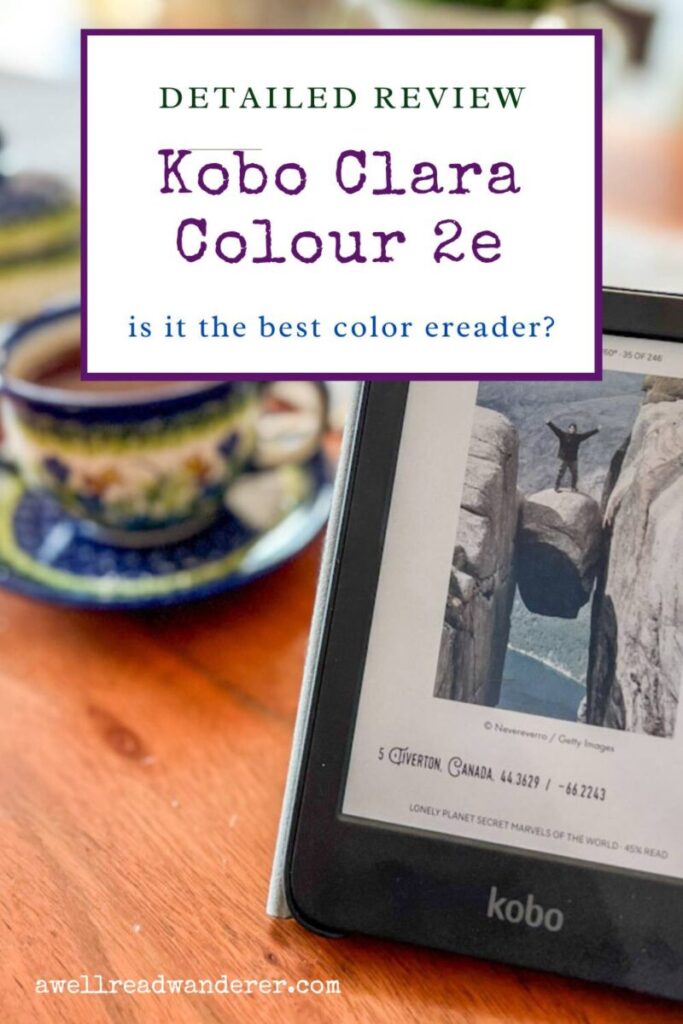
Kobo Clara Colour 2E Review: A Colorful eReader (with limitations)
Amazon might have just released their first color Kindle reader, but competitor Kobo has been offering it for years. With their innovative use of color e-ink technology, Kobo e-readers have been growing in popularity worldwide. I couldn’t resist diving in to see what all the fuss was about.
I’ve been a Kindle user for years, but I don’t believe a monopoly on ebooks is in anyone’s best interest. I really wanted to put a Kobo ereader to the test and see if it lives up to the hype. I have been using a Kobo Clara Colour 2e for the last two months and am ready to share my detailed, no holds barred opinions.
In this in-depth Kobo review, I’ll share my experience to help you decide if it’s the right e-reader for you. I’ll cover its key features, highlight its strengths and weaknesses, and tell you what kind of readers are likely to make the most out of this Kindle alternative (and which readers will want to avoid it).
Want me to give away the ending? The Kobo Clara Colour 2e is a very user-friendly ereader that’s eco-friendly, aesthetically pleasing, and affordable. However, there are some quirks in how it functions that can make it frustrating for some users, especially those who borrow ebooks from multiple libraries.
Updated January, 2025: Now that I’ve been using my Kobo for several months more, I’ve updated this post to add more details about my experience, including how impressed I am with the Kobo Daily Deals.
This review will look at the Kobo Clara Colour 2e on its own, but this post breaks down Kindle vs. Kobo: a detailed comparison between the new Paperwhite and the Kobo Clara Colour.
Don’t forget to pin this post for later reading, and share it with any friends who are looking for their next ereader.
As always, this post may contain affiliate links, which means at no additional cost to you, shopping from them may generate small commissions to support the operations of this blog.
Whenever possible, I recommend buying books at local bookshops or through Bookshop.org, because shopping there puts the profits right into the hands of indie bookstores all over the country.
Kobo Clara Colour 2e Specifications
Kobo offers several different models of ereaders, but as I was most interested in a compact option that included color e-ink, I opted for the Clara Colour 2e. Let’s take a look at the overall Kobo Clara Colour 2e specifications before we dive into the features in more detail.
| Display | 6″ E Ink Kaleido™ 3 |
| Resolution | 300 ppi B&W, 150 ppi color |
| Storage | 16 GB ~ 12,000 eBooks or 75 audiobooks |
| Processor | Dual 2.0 GHz |
| Connectivity | Wi-Fi, Bluetooth, USB-C |
| Battery Life | Up to 42 days (based on 30 min daily reading with 30% brightness and WiFi/Bluetooth off) |
| Charging | USB-C |
| Front Light | ComfortLight PRO (adjustable brightness and color temperature) |
| Waterproof | IPX8 (up to 60 mins in 2 meters of water) |
| Weight | 174g6.14 ounces |
| Dimensions | 112 x 160 x 9.2 mm4.41 x 6.30 x 0.36 inches |
| Supported Formats | EPUB, EPUB3, FlePub, PDF, MOBI, JPEG, GIF, PNG, BMP, TIFF, TXT, HTML, RTF, CBZ, CBR |
| Audiobook Support | Yes, via Bluetooth. Only available in select countries. |
| Highlight Colors | Yellow, pink, blue, or green |
| Other Features | Dark Mode, Pocket integration, OverDrive and Libby integration |
| Sustainability | Made with recycled and ocean-bound plastic |
| Price | $139.99 |

Design and Display
Let’s get into the nitty gritty of what it’s like to use a Kobo Clara Colour 2e.
The hardware
The Kobo Clara 2E is a compact and lightweight e-reader, designed for comfort, portability, and aesthetics. It’s small enough to slip into a purse or even a large pocket (think a jacket pocket, not a jeans pocket), so you can take your reading on the go. It’s built from recycled, ocean-bound plastic, making it an eco-friendly device.
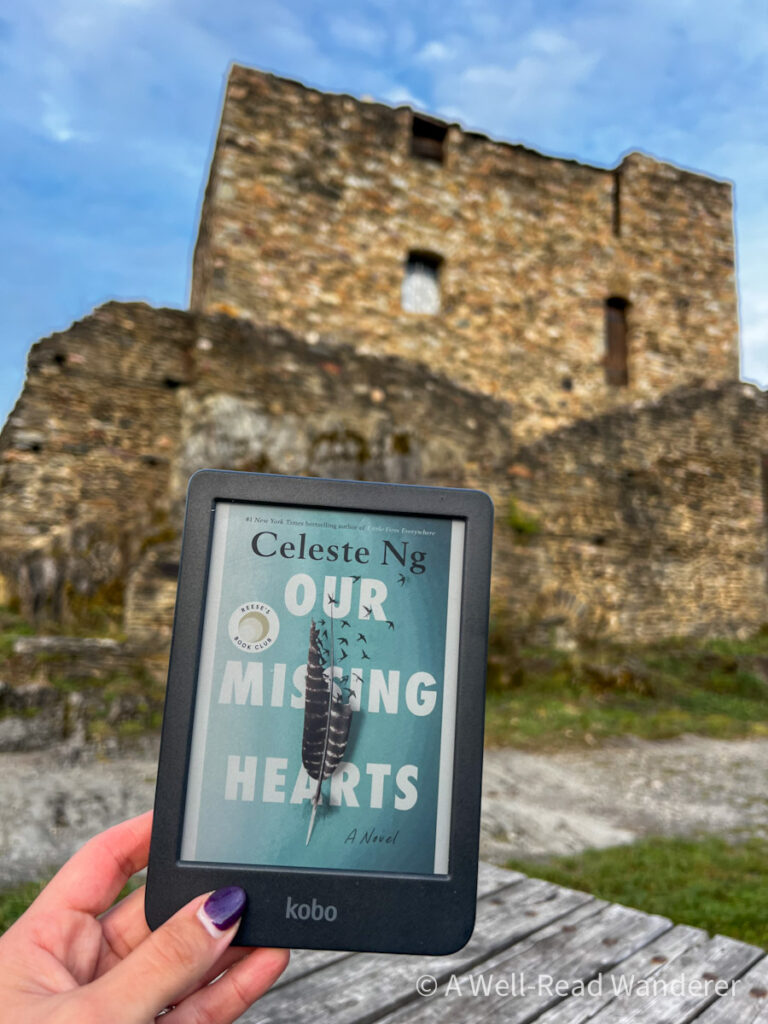
The 6″ E Ink Kaleido™ 3 display has a resolution of 300 PPI for black and white content and 150 PPi for color content — yes, color. This is what the Kobo is perhaps best known for, because they’ve been offering color e-ink readers for years already. That means you can see the full-color book covers, highlight text in different colors, and see pictures and illustrations in color.
The screen is inset in the device with a beveled edge, meaning it is not a flush front design — something to note if you prefer that style.

The design is ergonomic, with an ideal size for portability and ease of holding. It does have a distinctly plastic textured feel, which bothers some readers, but not all. It simply feels like an eco-friendly ereader.
The Kobo Clara Colour 2e is also designed to be repairable, so you don’t need to replace your entire ereader if something goes wrong. You can simply replace the part. I haven’t needed that after just a couple of months of use (thankfully, or that would’ve been the first thing I mentioned), so I can’t testify to how easy or effective that is.
The power button is on the back side of the Kobo (not along the bottom near the charging port).
On-Screen Experience
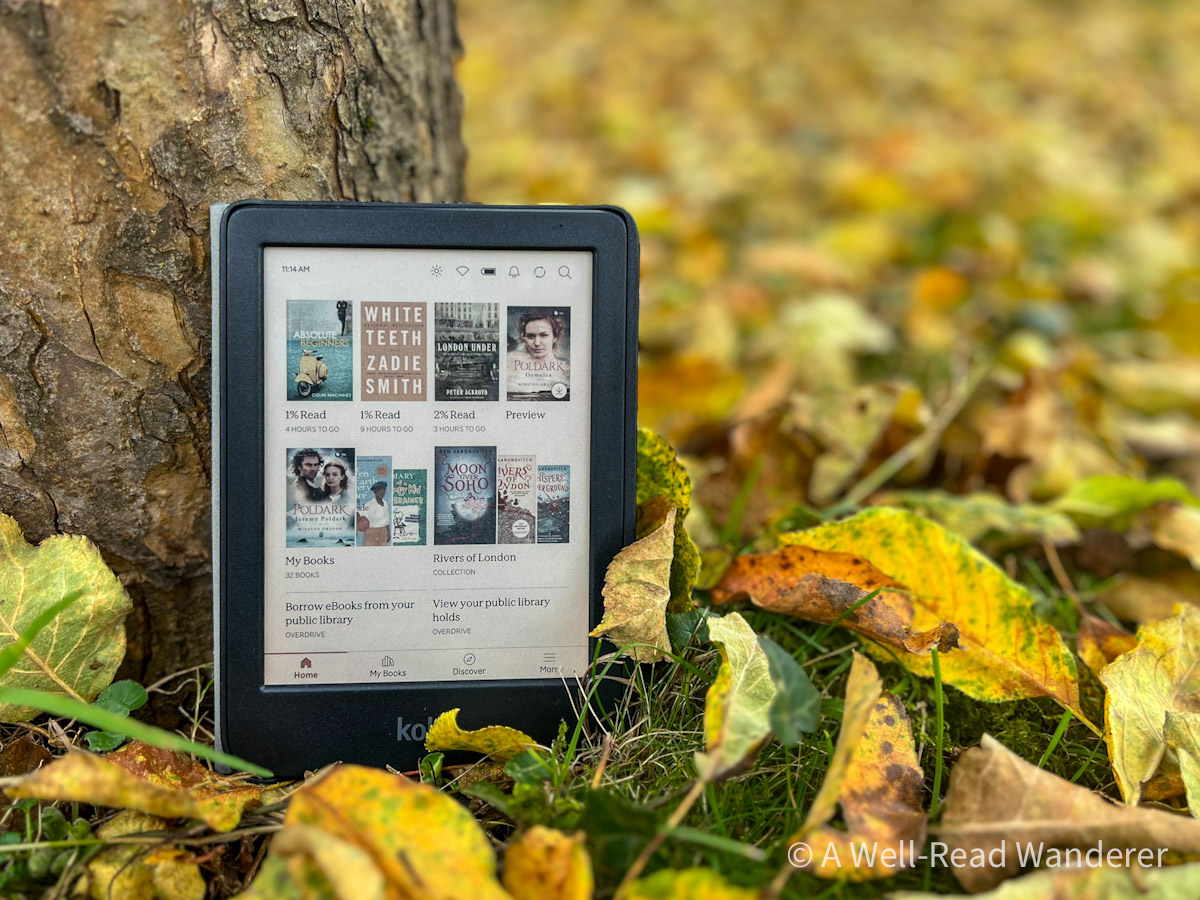
The interface of the Kobo e-reader is both aesthetic and user-friendly, with clear sections on the homescreen and easy navigation. It’s lovely to see the books with their full color covers (even if it’s obviously not as clear or as bright as it would be on a tablet or phone).
Plus, as you browse for new books, the Kobo’s integration with OverDrive makes it easy to see if the book you’re interested in is available from your library, on Kobo+ (their monthly unlimited ebook/audiobook subscription), or for purchase, all in one place.
Built-in lighting: The ComfortLight PRO allows readers to control their screen brightness as well as warmth, so you can finetune it to your reading preference. Alternately, you can set it to auto-adjust without you needing to do a thing. In auto-adjust, the screen will increase in warmth as daylight fades. You can also switch into Dark Mode, inverting colors to minimize eye strain during night time reading sessions.

Screen customization: While reading a book, you have a lot of options to customize the screen according to your preference.
You can customize the header to show any of the following:
- Pages left in chapter
- Percent of chapter read
- Time remaining in chapter (based on calculated reading speed)
- Or turn the header off
You can customize the footer to show any of the following:
- Pages left in book
- Percent of book read
- Time remaining in book (based on calculated reading speed)
- Or turn the footer off
You also have the option to turn a permanent book progress bar on or off.
When you have a book open, you can also tap in the middle or bottom of the screen (you can set your own tapping zones) to bring up an additional menu.

In the top menu that appears on click, you will see:
- percent of the chapter read and estimated time remaining
- the estimated reading duration of the next chapter
- the total estimated time remaining in the book
- a visual depiction of the length of all chapters in the book as a bar graph
The bottom menu that appears on click will show you your book progress bar and give you access to the following options:
- See the table of contents
- See all of your annotations from the current book in one place
- Search the book for a word or phrase
Text Customization: There are 14 fonts you can choose from, including the publisher’s default, and you can finetune the font size, line spacing, margins, and text justification as well.
Other customization options: You can also set how often you want your page to refresh and whether you want to signal page turns by swiping and tapping or just swiping.
Shortcuts: There are some noteworthy shortcuts when using a Kobo Clara Colour 2e, like:
- Drag your finger up or down along the left edge of the screen to adjust the brightness with one touch
- Use two fingers to pinch in or out to quickly change font size (though this is hard to finesse, and you might find yourself switching from too large to too small without being able to easily find that Goldilocks just right)
Sleep screen: You have two options for your sleep screen: a generic illustration by Kobo, or the cover of your last opened ebook. I mention this because some people use their ereaders to read books they don’t necessarily want to advertise the title or cover of. But the generic drawing is frankly pretty ugly. This is probably a minor consideration for most people but one I think worth pointing out.
My thoughts: I appreciate the many data options you have on the Kobo menus as well as the many ways to customize it your preferences. I prefer a minimalist approach to my header and footer while I’m reading, as I find it distracting to have too much info there. Still, I like being able to quickly check progress without effort. Plus, the menus are displayed in an easy-to-understand and visually appealing way.
Overall, I think the display and interface are very aesthetically pleasing, functional, and user-friendly, the ability to search for a book and see at a glance whether it’s available on Kobo+ or from your library is a much appreciated integration.

Key Features
Let’s dive into the Kobo Clara Colour 2e’s key features that differentiate it from other ereaders out there.
Color e-ink
Kobo beat Kindle to color e-ink by a long shot, and it is an undeniably nice feature. Here’s how that impacts your reading experience:
- Choose from 4 colors for highlighting — yellow, pink, blue, or green.
- See the full-color book covers in your menus and on waking from sleep mode
- See photos or illustrations inside a book in color
My thoughts: While the colors are not as vibrant or crisp as they would be on non e-ink devices, it does make for a pleasant change from the black and white.
Overdrive/Libby Integration
Kobo sets itself apart with its integration with Overdrive/Libby to push borrowed ebooks and audiobooks straight to your ereader device. BUT, there’s some serious quirks I hope the company works out soon.
The good:
- Search for ebooks right on the device and see immediately what’s available to borrow from your library
- Borrowing books from the Libby app on your phone will make them automatically download on your Kobo when connected to Wifi (if you have it set to that library)
The bad:
- Kobos no longer support multiple libraries on their devices. This is a huge drawback for those who, like me, borrow books from more than one library. You have to manually log in and out of each library on your Kobo device. If you log out of one library, your borrowed books from that library will no longer be available.
- Setting up integration can be a bit of a pain since Overdrive isn’t really a thing any more — Libby is the new interface used by the company. However, once you figure this out once you should be set for a while.
- Library books automatically return on their due date, whether or not you’ve connected to WiFi or left airplane mode.
My thoughts: While I think the Overdrive integration is promising, as it currently stands, it’s an incredibly frustrating experience using a Kobo for borrowing library books. The inability to sync with more than one library alone is enough to put many readers off.
For me, the fact that books disappear on their due date is also a huge drawback; on my Kindle, I stay in airplane mode so I can finish books after their due date (as far as the library is concerned, they consider the book returned and move it along to the next person).
It depends on what matters most to you and how you want to use an ereader, but for me, this has made using my Kobo very frustrating. I primarily get books from my libraries to read on my ereaders, so I hope they pay attention to customer feedback here and update how this works to improve the user experience. It’s not a hardware issue; it’s how the software is designed, which in theory means they could fix it with an update.
If you only borrow ebooks from one library, then you will likely be pleased with the integration. Similarly, if you’re one to always return your books immediately on time, then the auto-return won’t bother you. There is a hack that if you keep that book open, then you can still read it after it auto-returns, but if you return to your home screen even once, you will not be able to get back into that book.
Update January, 2025: I still find it annoying not to be able to sync more than one library on my Kobo and having books automatically return on the due date, but I’ve adapted by primarily only borrowing from one of my libraries and purchasing more Kobo ebooks.
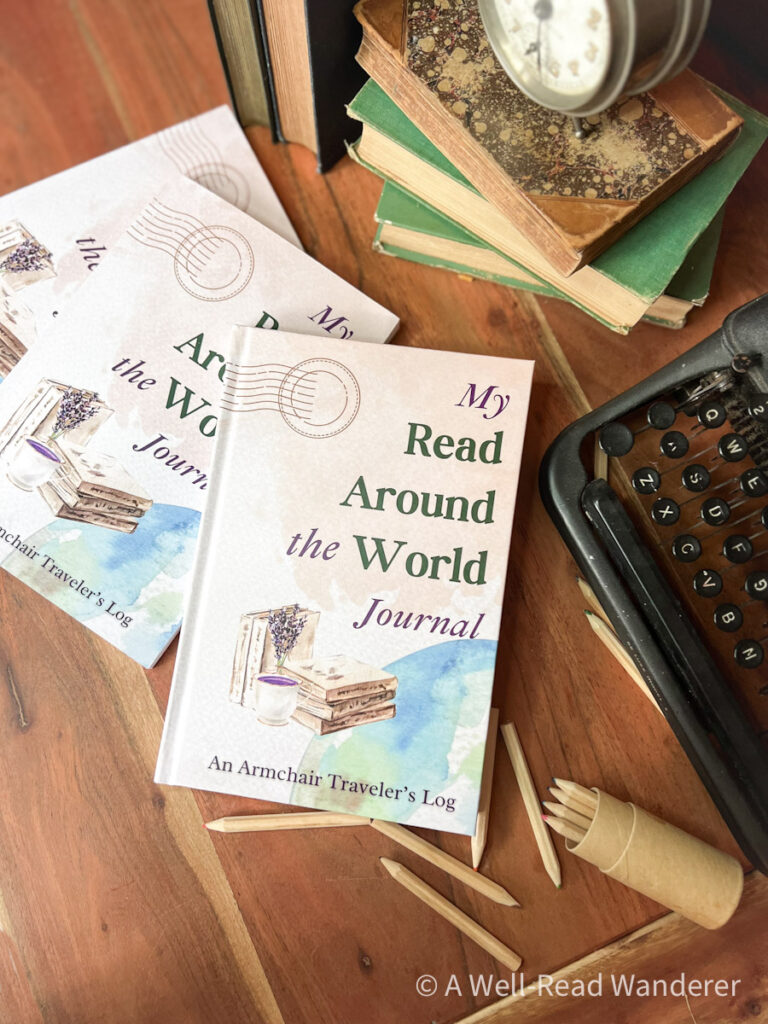
Do you enjoy reading books set in different countries? I’ve designed a custom Read Around the World Journal specifically for readers who want to explore more world literature and track their progress. Make lists, color in bookshelves, and play Read Around the World Bingo in this unique reading tracker.
You can take a peek inside the journal, peruse my list of resources to help you on your reading journey, and order a copy if you think it’s the right fit for you!
Other features
Here are some of the other features of the Kobo Clara Colour 2e that don’t require a ton of explanation:
- Waterproof (IPX8 rating – up to 60 minutes in 2 meters of water)
- Bluetooth® wireless technology for listening to Kobo Audiobooks
- Pocket integration for saving online articles to push to your device (this is a feature I haven’t made use of, as I tend to disable wifi on my ereaders, but it might appeal to some)
- Ability to sideload books in multiple formats, including ePub (but this requires physically connecting your Kobo to your computer to transfer the book to the device, which is pretty clunky.)
- Made with recycled and ocean-bound plastic
- Repairable design for extended lifespan
- Significantly cheaper price point than the Kindle Colorsoft
Storage and Battery Life
The Kobo Clara Colour 2e has 16gb of storage, which says it can hold up to 12,000 eBooks or 75 audiobooks based on average file size. I think the storage here is plenty, and few users would run out of storage.
The battery life is advertised as up to 42 days based on 30 min daily reading with 30% brightness and WiFi/Bluetooth off.
My thoughts: Here’s how my battery life has been for the last few months I’ve been using my Kobo, though keep in mind I have not been reading on it daily.
My full battery charge lasted 78 days without daily use. During that time, I read three complete books on my Kobo. I kept WiFi off for the most part, Bluetooth always off. I keep my screen brightness on average at <15-20% and have the screen set to turn off after two hours rather than staying in sleep mode.
I have not noticed a significant difference in battery life between my Kindle Paperwhite and my Kobo Clara. So I would rate the battery life well, if you use battery-saving techniques mentioned above.
Update January 2025: After using my eReader for several more months and reading on it more often, I can usually read 4-6 books before needing to charge it. Overall, still very pleased with battery life.
Related: The Kobo Clara Colour 2e would make a great gift idea for a book lover!
Optional Extras
There aren’t a lot of accessories designed specifically for the Kobo Clara Colour 2e, but let’s have a look anyway.

Sleep cover
You can order a sleep cover from Rakuten that’s designed to fit your Kobo Clara Colour 2e. I have been using this sleep cover, and overall it’s been a positive experience. The cover is available in several solid colors and fits the device snugly, so it doesn’t add a lot of bulk. The cover is designed to bring the device automatically from sleep to wake, which is handy and pretty seamless.
The cover also folds to be used as a stand for the Kobo, something which I utilize frequently. If I were going to suggest some design changes, I’d like to have the option to bend the cover in another direction to prop up the Kobo at more of a 30-degree angle and/or add a strap to the cover to make it easier to hold with one hand.
Kobo+ Subscription
Not exactly an accessory, but you can opt to subscribe to Kobo+, which is essentially Kobo’s version of Kindle Unlimited. Your subscription options are:
- $7.99/mo. For unlimited access to 1.5 million ebooks
- $7.99/mo. For unlimited access to 150,000 audiobooks
- $9.99/mo. For combined unlimited access to the ebook and audiobook library
The catalogues are definitely more limited for Kobo+, but they are growing all the time. You can get a 30-day free trial of Kobo+ to check out the catalogue and determine if it’s worth the subscription price.
For me, there weren’t enough books that I like to read available, so I did not keep mine beyond 30 days. Other readers might find differently. For now, I will keep using Libby, Audible, and Everand.
Related: Shopping for other ereaders? Don’t miss my detailed review of the 12th generation Kindle Paperwhite, released in 2024.
Kobo Daily Deals
(Update Jan, 2025): As I’ve continued to use my Kobo Clara Colour over the last few months, the way I have been using it has changed a bit. As the library syncing issues really get on my nerves on the Kobo, I’ve been using it primarily for purchased eBooks through the Kobo marketplace.
For the most part, I find these through the Kobo daily deals. In my experience, they have a great selection of Daily Deals, including one highlighted deal with several more books in various genres that go on sale for $0.99-4.99 on a regular basis. It’s become a habit for me to scroll these on a near-daily basis, and I’ve scored some great new-release titles for cheap that way.
This has become the primary way I’ve been using my Kobo, and I think it’s a lesser known benefit that should be factored into your decision of whether or not to buy one.
I recommend checking out their daily deals page, perhaps on a regular basis over a week or two if you’re really on the fence, and determining whether there’s books that appeal to you and if you’re willing to spend a few dollars to own the eBooks as opposed to exclusively borrowing them.
Related: If you’re shopping for ereaders, you can also check out my detailed reviews of the 2024 Kindle Paperwhite as well as my thoughts on the popular 10th generation Paperwhite.
Kobo VIP Membership
(Update Jan, 2025): For $10 a year, Kobo users can become VIP members. The membership benefits in summary are the following:
- Earn 20 Super Points for every $1 spent on eBooks, audiobooks, or subscription fees
- Earn up to 10x Super Points on special bonus days
- Immediately download one free eBook per year from a list of included titles
- Save 10% off the purchase price of non-discounted eBooks and audiobooks
My thoughts: As I’ve been buying several eBooks a month through the daily deals, I decided to try out the VIP membership. The list of titles to download for free was pretty underwhelming — there was only one title I was sort of interested in, but hopefully over time they continue to add more appealing titles.
Most of the eBooks I buy are on sale already, so I don’t often get the additional discount, but it’s nice when it’s there. The main benefit I think will be accumulating points on eBooks I’m already purchasing to at some point be able to redeem them for a free one. I’ll update down the line, but for now in my opinion the VIP membership is pretty neutral take it or leave it.
Related: Curious about other book subscriptions? Check out my complete honest review of Everand. Plus, see me answer the question in detail: is Audible worth it?
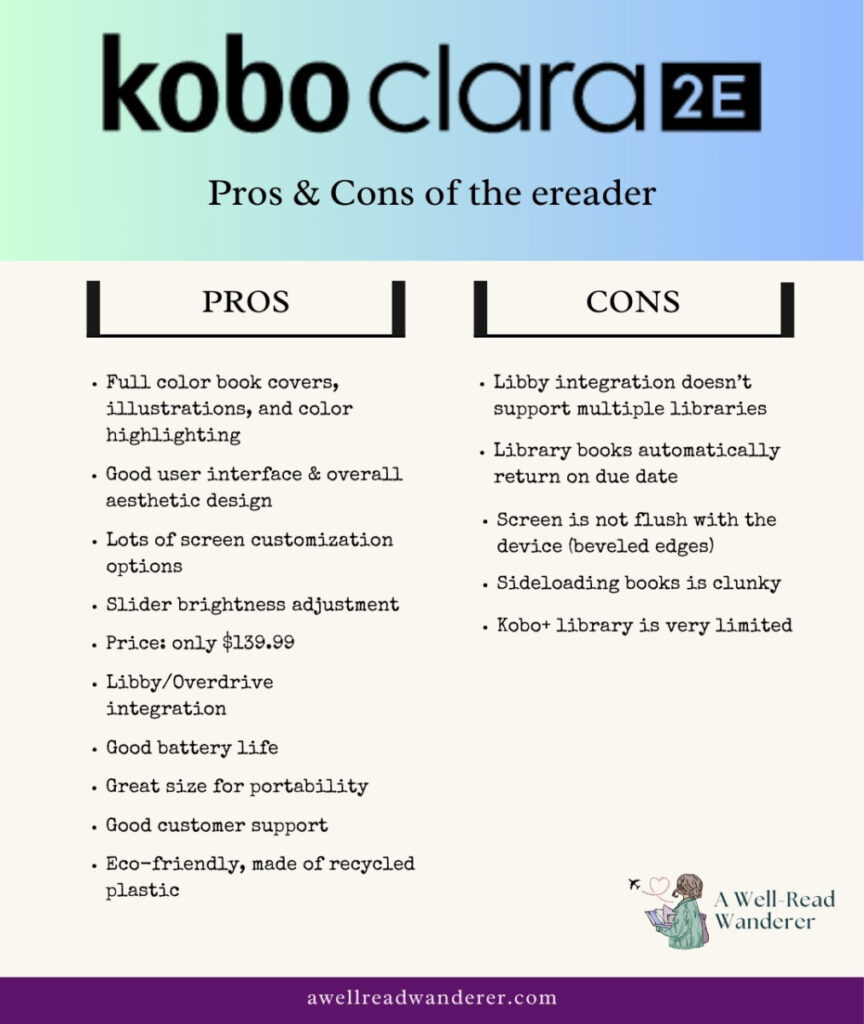
Summary: Kobo Clara Colour 2e pros and cons
Verdict
While the Libby/Overdrive integration issues can make the Kobo Clara Colour 2e incredibly frustrating to use for library books, in general, I think this is a great Kindle alternative and significantly more affordable than the new Kindle Colorsoft. If you are not too deep into building your Kindle library, I think it’s worth considering making the switch over to Kobo.
However, if you know that the Libby issues will make the device more unusable than usable, I’d wait to see what the company does to fix the current issues before purchasing.
A Kobo would also make a great bookish stocking stuffer, just saying.
Hopefully this in-depth review answers all your questions about the Kobo Clara Colour 2e and whether it’s the ereader for you. Have more questions you want me to answer? Shoot me an email.
Don’t forget to sign up for my newsletter so you never miss out on my bookish product reviews, book recommendations, or literary travel tips again.